How can I edit my profile?
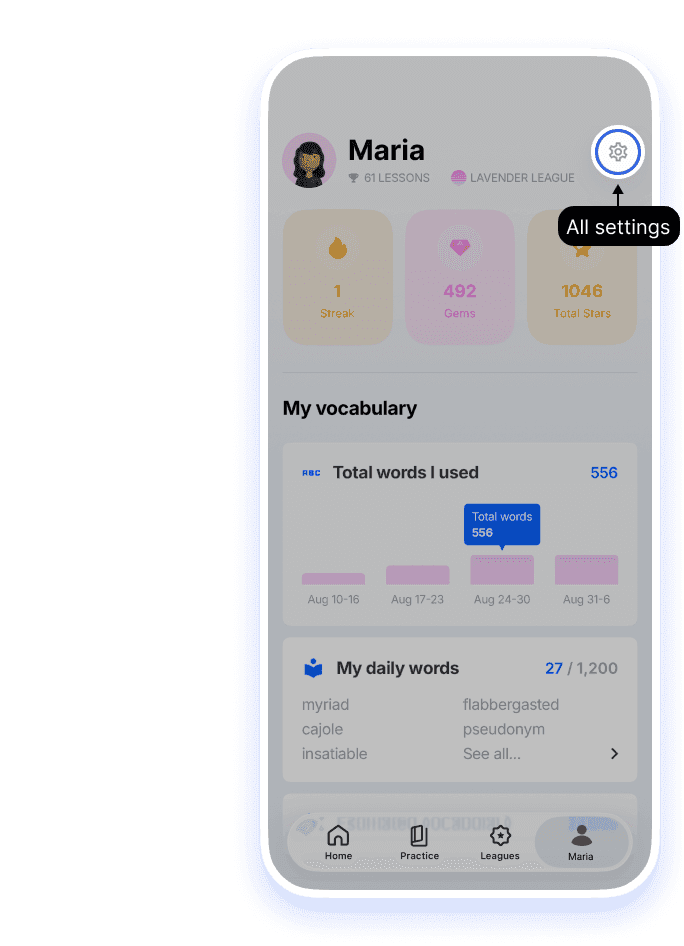
Tap the settings icon on the Me tab, then tap Edit Profile at the top of the Settings screen.
1.Open Settings from the Me tab
Tap the person icon in the bottom bar to open the Me tab, then tap the gear in the top right.
2.Change your name, avatar, or photo
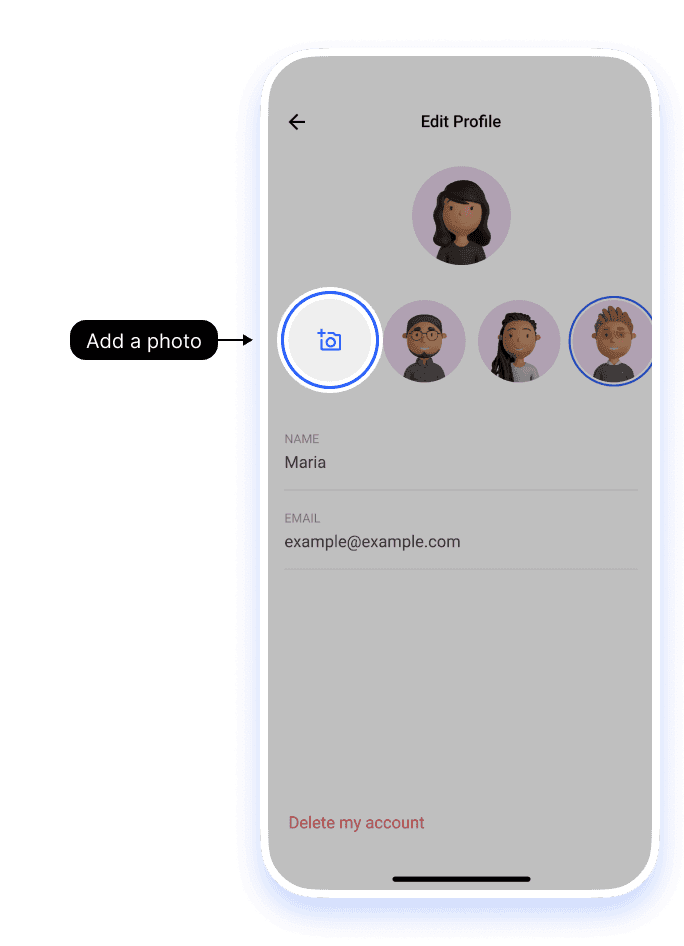
Tap Edit profile at the top of the Settings screen. Here you can change:
- Name: your display name.
- Avatar: pick one of Loora’s built-in avatars.
- Profile photo: tap the camera icon with the + sign, then choose a photo or take a new one.
Tap Save when you’re done. Your email is shown so you can check which account you’re logged in to, but you can’t edit it here. To move your subscription to a different email, see How do I change my email address?.
Still having trouble?
If you want to change other settings
See How do I change my profile settings? and How to manage notifications?.


