Sign up through your organization
If your company or school provides access to Loora, you can link your account using an organization access code or your work or school email. Here’s how each option works.
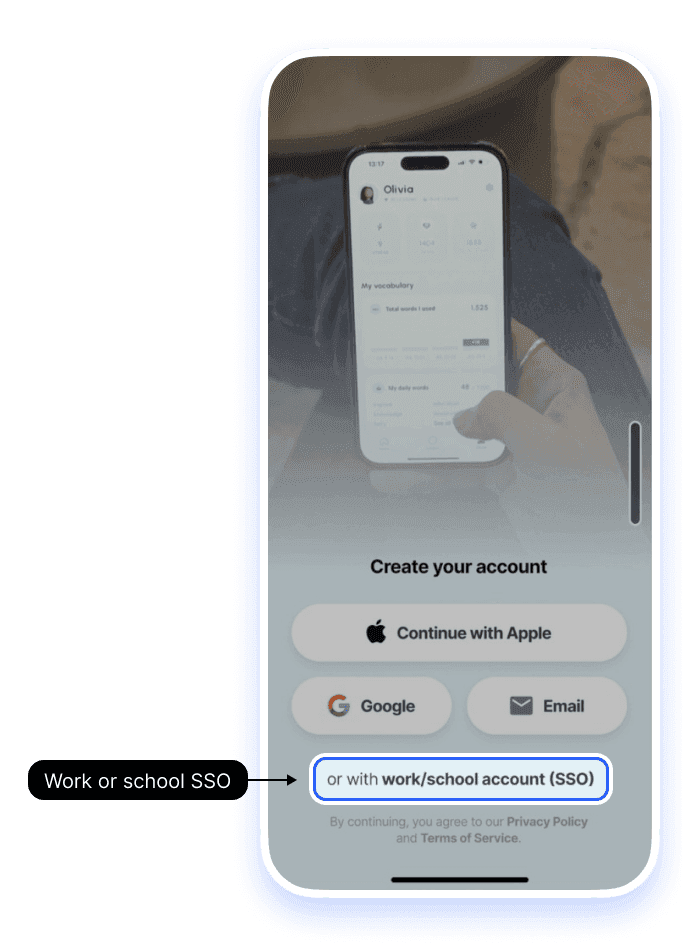
1.Tap work/school account (SSO)
On Create your account, tap or with work/school account (SSO) under the Apple, Google, and Email buttons.
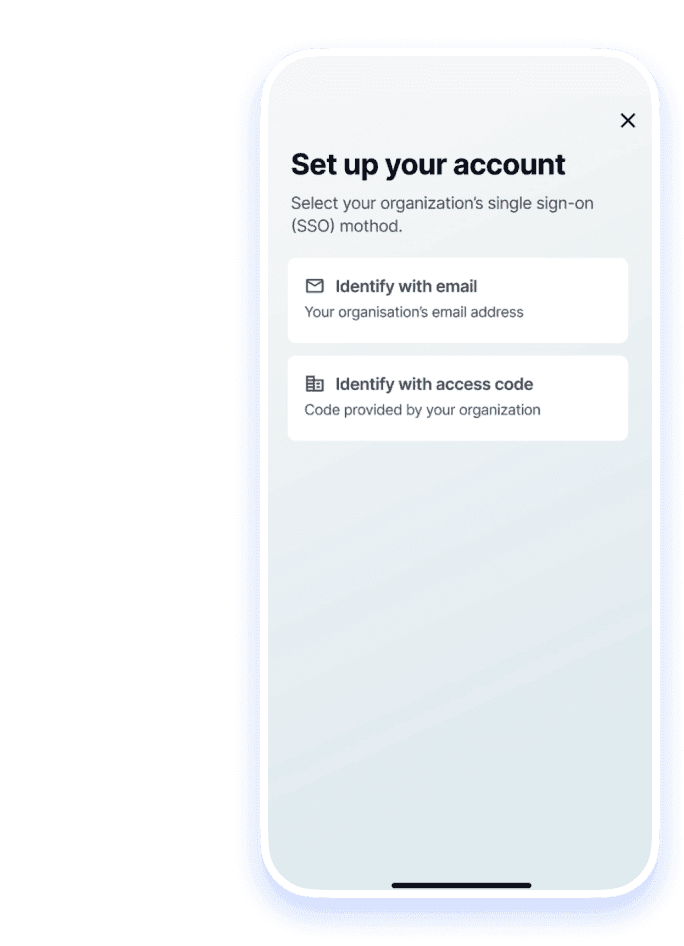
2.Choose how to identify
On Set up your account, pick Identify with email (your organization’s email) or Identify with access code (the code your organization gave you).
3.If SSO isn’t supported yet
If your organization's SSO isn't supported yet, you can sign up with your email and a password instead. See Create your account.
Still having trouble?
If your code or email isn't recognized
Double-check with whoever manages Loora at your organization that you got the right code or the right email domain. If it still fails, email support@loora.ai with your organization's name and we'll connect you.
If you want a plan for a team or company
Sign up at Business Plan.
If you already created a personal account
Contact us and we'll link your existing progress to your organization's plan where possible.


