Quick start guide
Here is everything you need to start using Loora in 5 minutes.
1.Open Loora
Download Loora for iPhone or Android. On iPhone you can also use Loora on the App Store. Open the app — you'll see the Loora logo while it loads.
2.Getting started
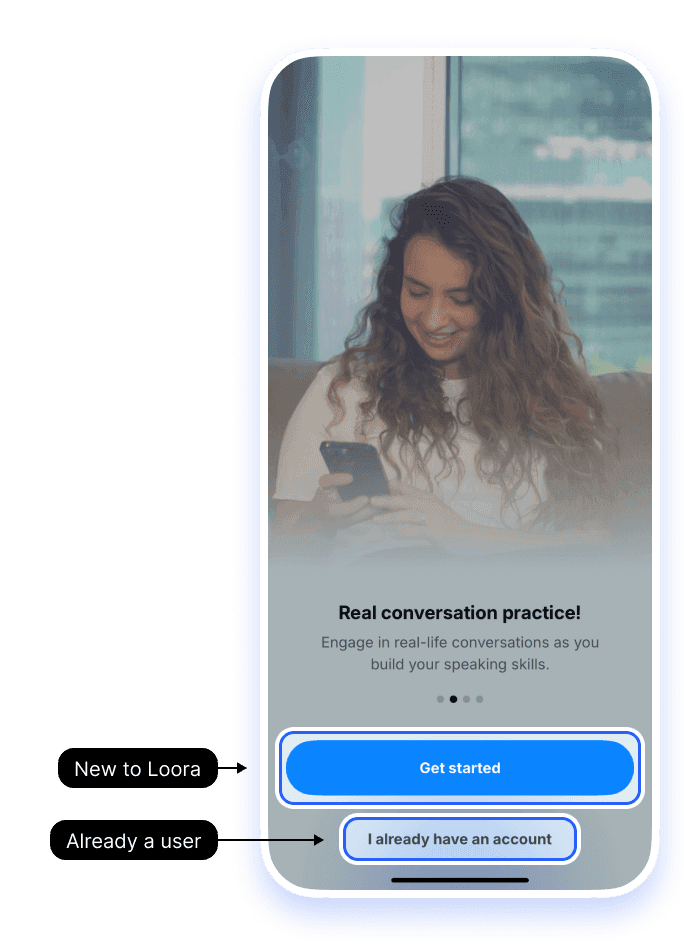
Swipe through the four welcome screens, then tap Get started.
Already have an account? Tap I already have an account at the bottom, then follow I'm having trouble logging in. What can I do?.
3.Create your account
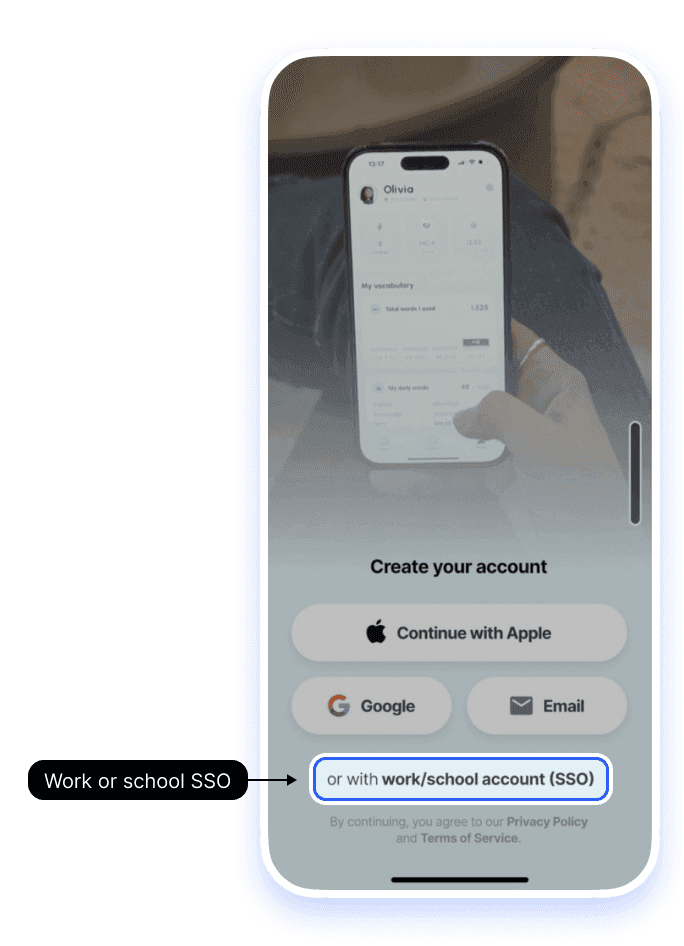
Choose Continue with Apple, Google, or Email. If your company or school provides Loora, tap or with work/school account (SSO) at the bottom. Remember which method you use. Signing in with a different method later creates a separate new account, without your progress or subscription.
4.Choose your native language
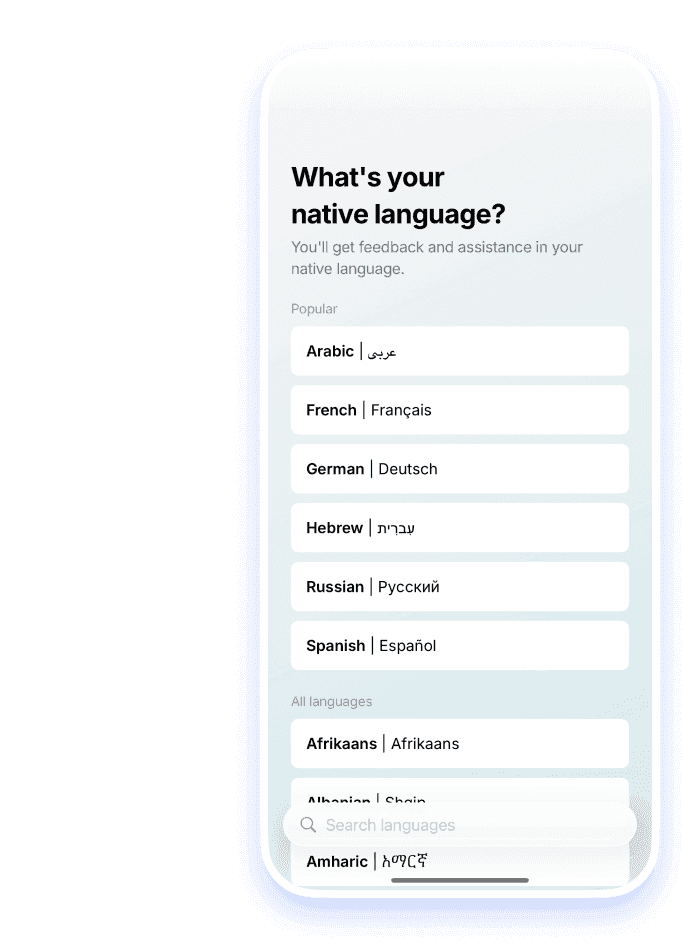
Pick your native language from the list. Loora uses it to translate sentences and words for you, so you can understand everything and learn faster.
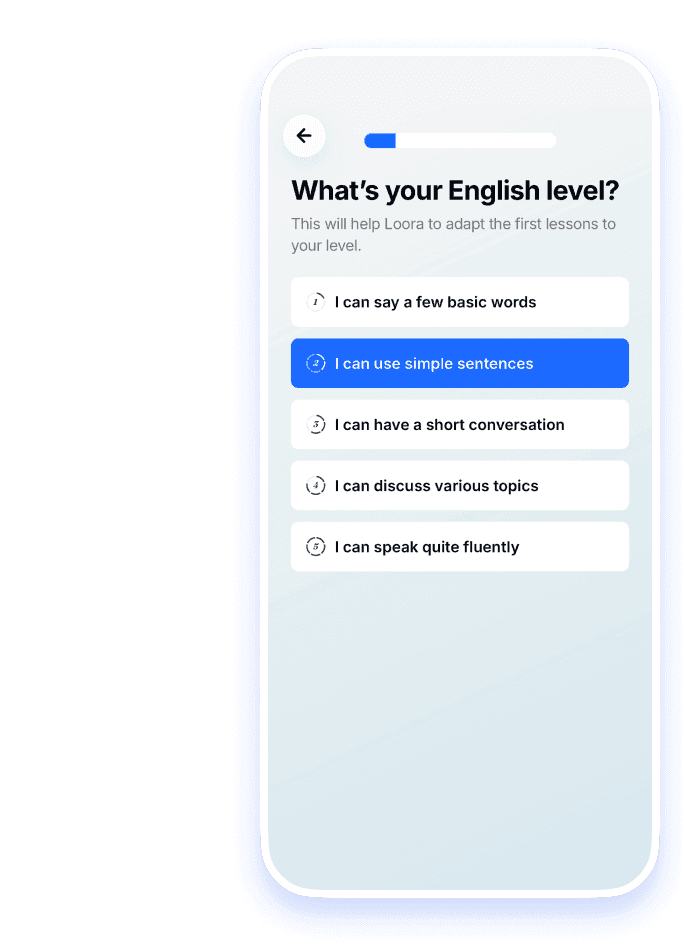
5.Tell Loora your English level
Choose the option that feels right: Beginner, Basic, Intermediate, Advanced, or Professional. This sets the level of your lessons. You can change it later by contacting support.
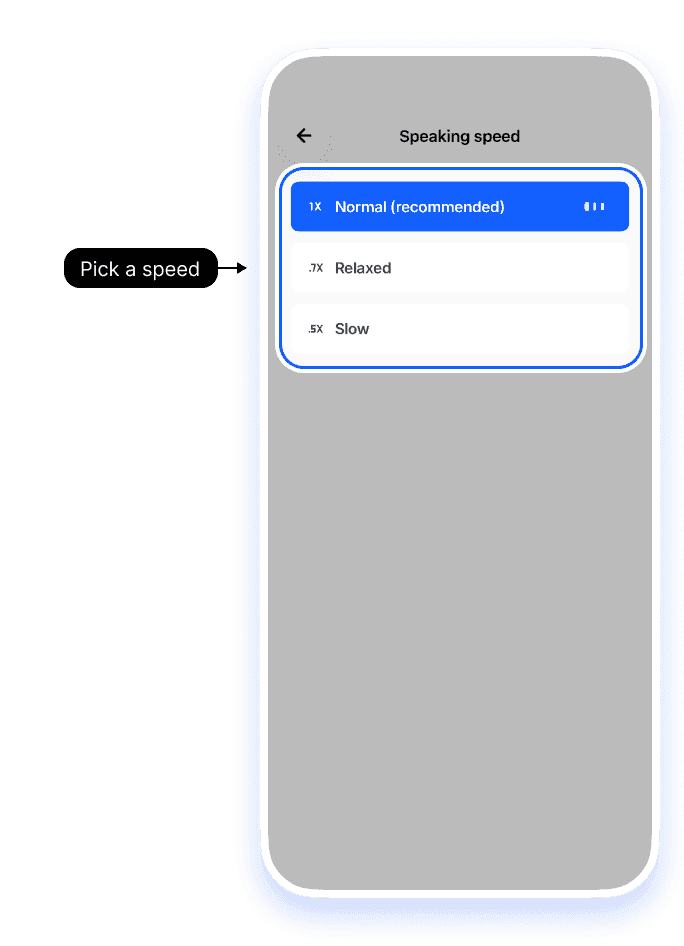
6.Choose your speaking speed
Pick how fast Loora talks: Normal, Relaxed, or Slow. You can change this later in Lesson Settings.
Still having trouble?
If you can't get past sign-up
Check your connection, then try again. If you see an age-related message, see Is there an age limit for using Loora?.
If you're not sure which sign-in method to pick
Any method works — just remember which one you used. You'll need the same one every time you log in.
This might also be useful
- I'm having trouble logging in. What can I do?
- Will I only have access to one conversation a day?
- Can I use Loora on my laptop?
- Is there an age limit for using Loora?


