Can I see my past conversations?
Yes. Your past conversations are saved in the app. Open the app and scroll up on the home screen to see your previous lessons.
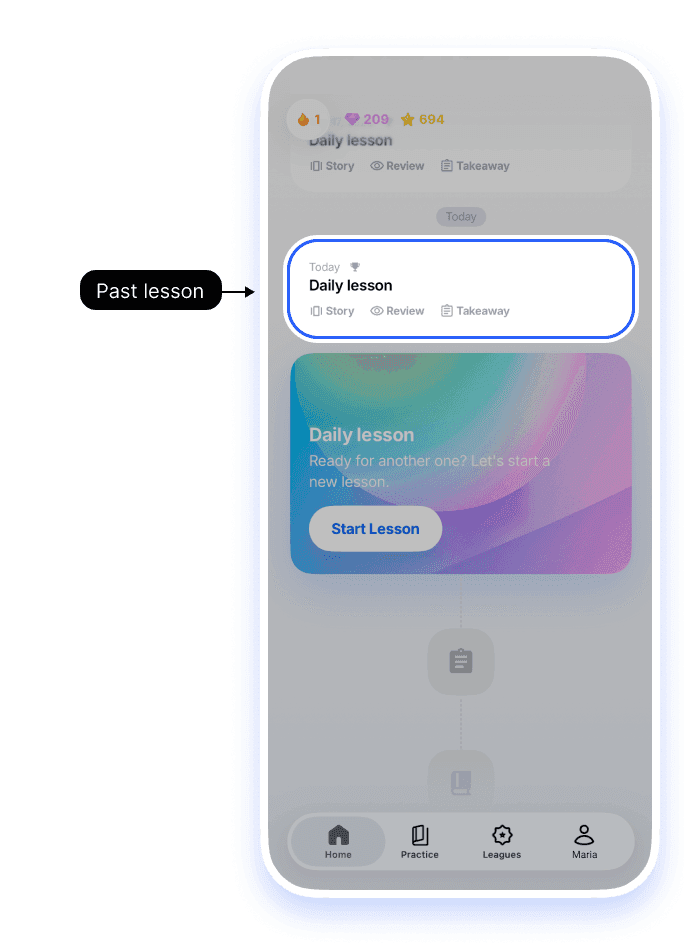
1.Scroll up on Home
The cards above today’s lesson are your past lessons. Tap Review to go back through the conversation and its feedback, or Takeaway to open that lesson’s takeaway.
What is saved
- All your past lessons, with the full conversation
- Corrections and grammar feedback from each lesson
- Your key takeaways
Words you saved during a conversation are kept as well, but they are not shown inside the lesson history. You will find them under Saved Vocabulary in the Practice tab.
What is not saved
Unlimited Talk conversations are not saved in detail. Words you saved during Unlimited Talk are kept, but the full conversation text is not.
See How do I delete my account?.
Still having trouble?
If you're thinking of deleting your account
Deleting your account permanently deletes all your lesson history, and it can't be recovered. If you only want to stop paying, cancel your subscription instead. Your account and history stay. See How do I delete my account?.


