Get a tax invoice for a web purchase
How to view, download, or add a VAT number to a Loora invoice from a website (Paddle) purchase. Need the transaction ID or the email on the payment? See How can I get an invoice or receipt?
How to get your invoice
Subscribed on the web? Paddle is Loora’s payment provider and issues your tax invoice. You can view it, download it, or add your business details in any of these ways:
- Check your inbox. Your receipt was emailed the moment you paid, from help@paddle.com. Search for “Loora” or “Paddle” and check your spam folder — the email links straight to your invoice.
- Look it up on paddle.net. Go to paddle.net, click “Look up my purchase,” and enter the email you paid with. Paddle sends a secure link where you can view and download your invoice and receipt.
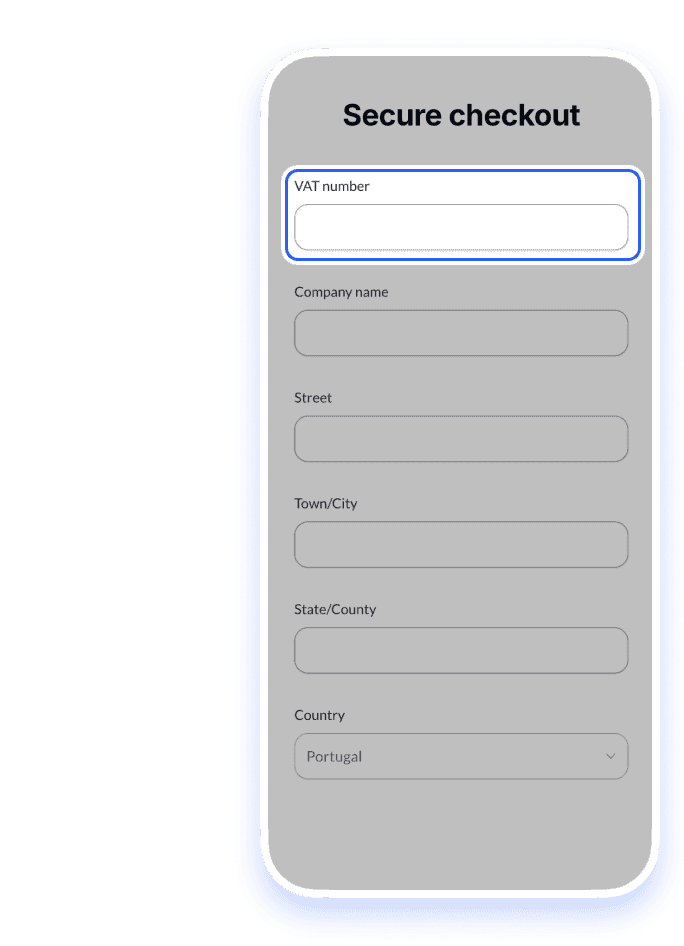
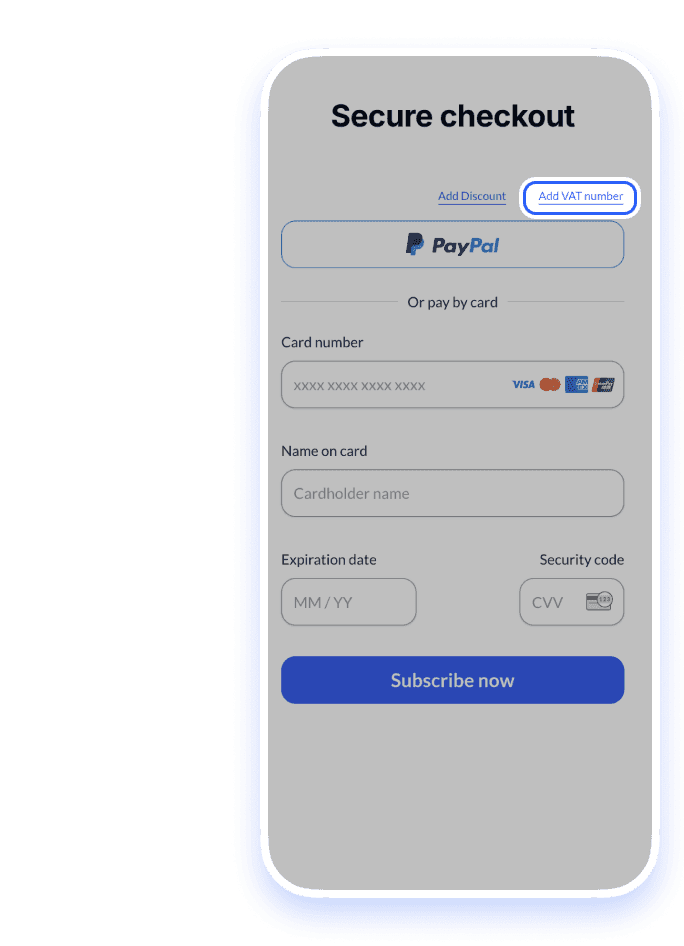
- Add a VAT number or company details. Need a business tax invoice? Add your VAT number, company name, and address either at checkout — tap Add VAT number — or afterwards via the “Look up my purchase” link on paddle.net. Your invoice is reissued with them included.
- Contact Paddle directly. Paddle is the merchant of record for web purchases, so they can help with anything invoice-related their self-service doesn’t cover. Email them at sellers@paddle.com.
Bought through the App Store or Google Play?
Those invoices are issued by Apple and Google — request them from your purchase history with Apple, or your Google Play order history at Google Play subscriptions.
1.On the payment page, tap Add VAT number
2.Add your details, then tap Apply — your invoice is reissued with them.