Introducing Split View: see Loora and follow the conversation at the same time
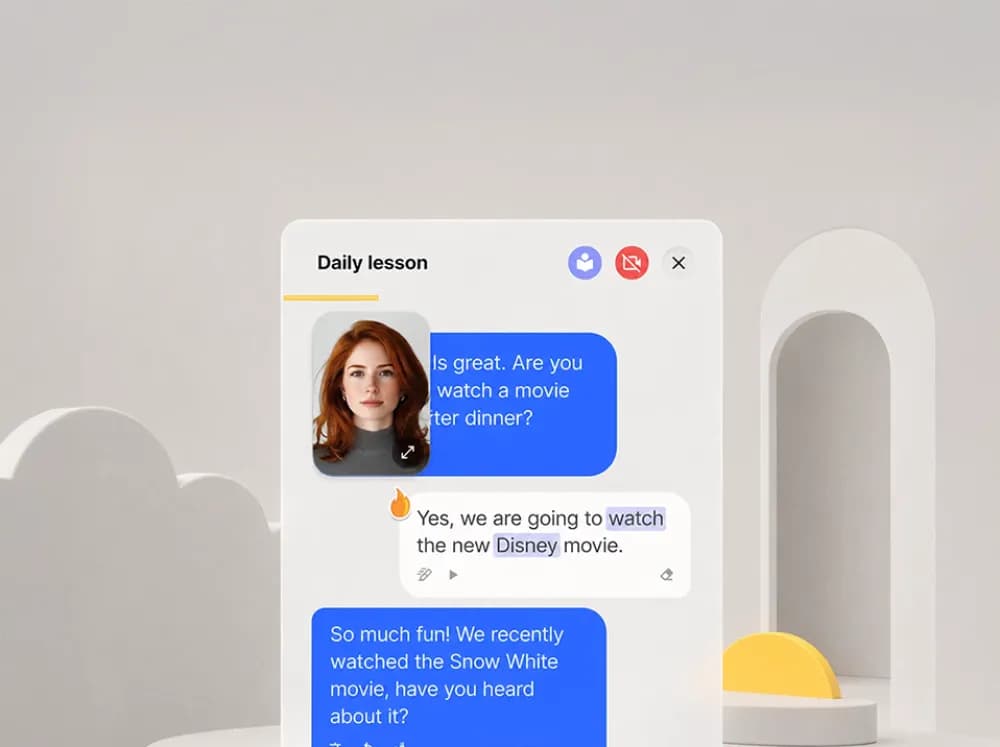
No more choosing between the avatar and the transcript. Now you get both – so you can speak with Loora and follow every word on one screen.
Meet Split View. The avatar and the transcript, together on one screen. No more choosing.
What Split View does
Loora’s avatar now appears as a floating window over the chat. You can move it wherever works best for you. The full conversation transcript – everything said, everything corrected – stays visible below. You speak, you see Loora react, you follow the text. All at once.
Why it makes practice work better
Research shows that having a social presence in the conversation – even an AI one – keeps you more engaged and more participative. When Loora is right there, you’re more likely to stay in the moment and push through the pause before speaking. And when your attention wanders (totally normal), the transcript is right there to catch you up. You reconnect in seconds instead of losing the thread.
It’s a simple change. But staying present and in the flow is most of what makes practice actually work.
How to try it
Open any conversation in the latest version of the app. Tap the video button to bring up the floating avatar. Drag it anywhere on screen. Tap it again to go back to chat only.
PS You can still challenge yourself to just listen to Loora if you make her full screen. No subtitles, just real life conversation!