What is the avatar feature?
The avatar is Loora's visual character that appears during your conversations. It gives a more face-to-face feel to the experience.
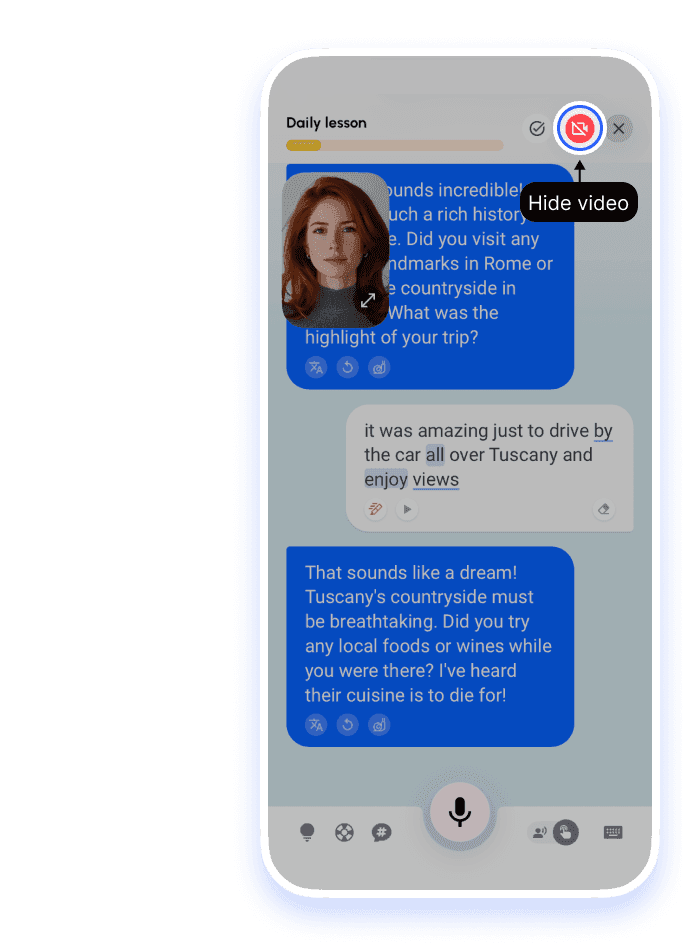
1.Hide the video and stay in chat
Tap the video camera icon in the top bar. The avatar disappears and you keep chatting in text. Tap the icon again to show the avatar. This hides the video completely — it does not shrink it.
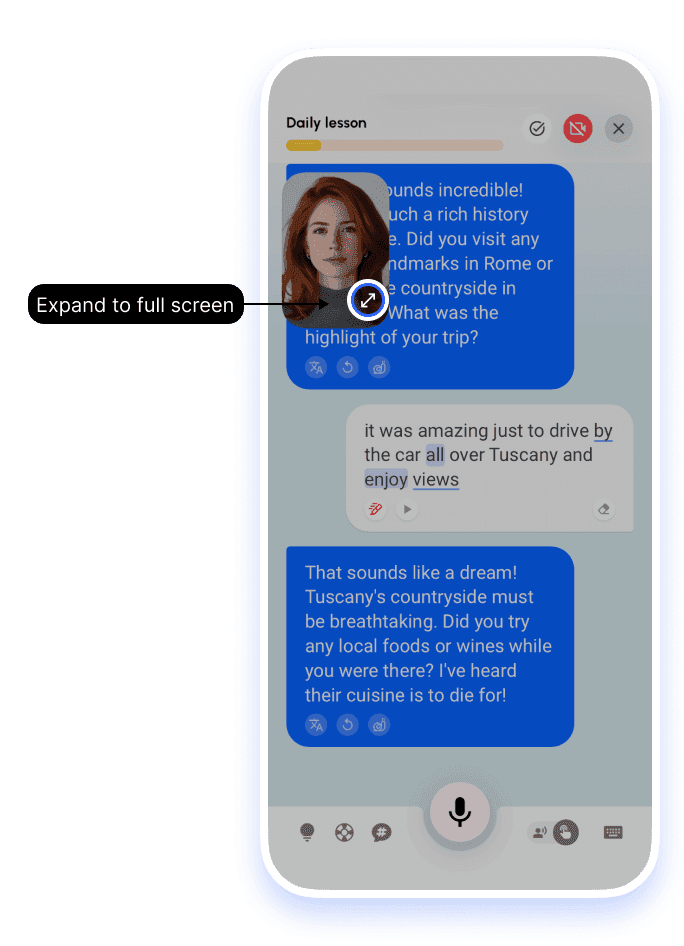
2.Enlarge to full screen
When the avatar is visible, tap the expand control on the small window to fill the screen.
Still having trouble?
If the avatar video is not loading
Video mode needs a stronger connection than text chat — check Wi‑Fi or switch to mobile data.
If you can't find the avatar window
The avatar appears as a small video window in the chat during Classic and Read and Talk lessons. Role-play lessons are chat only, so there's no avatar. If you hid the avatar, tap the video camera icon in the top bar to bring it back. Still missing? Email support@loora.ai with a screenshot of your lesson screen.
If you’d prefer a male tutor
Coming soon: you’ll be able to practice with Leo. See Can I choose a male tutor?.


